
Brief
As one of the two dedicated programmers on this UCSC final project I worked on a wide breadth of gameplay mechanics, tools, UI, analytics and general architecture. Two of my most key contributions were creating the service locator system and UI system used throughout our game. Apart from programming I was the most involved with managing our source control (Git / GitHub) and was relied on to resolve any issues that arose. I also contributed to gameplay and UI design.
Gameplay Programming
Heliobiotic is a game with many unique gameplay mechanics (similar to an escape room) and I worked on many of them. While implementing new mechanics I had to remain conscious of how our designers would interact with the tools I created. For each mechanic I implemented I made videos demonstrating how to use and tweak them for others on the team to reference. Here are a couple of the unique gameplay mechanics I worked on.
Light Flowers
I created a mechanic allowing the player to "paint with flowers" using their flashlight. When a player shines their flashlight on a flower, new flowers grow around it. All the flower objects are pre-placed by designers using a tool I created. The flower objects are then activated as the player shines their light around.
The in-editor flower placement tool uses raycasts and poisson distribution to evenly place flowers across a surface. I added a custom editor UI with buttons and gizmos, allowing designers to adjust knobs including filtering which game objects they wanted to "spray" flowers on and how flower orientation was randomized.
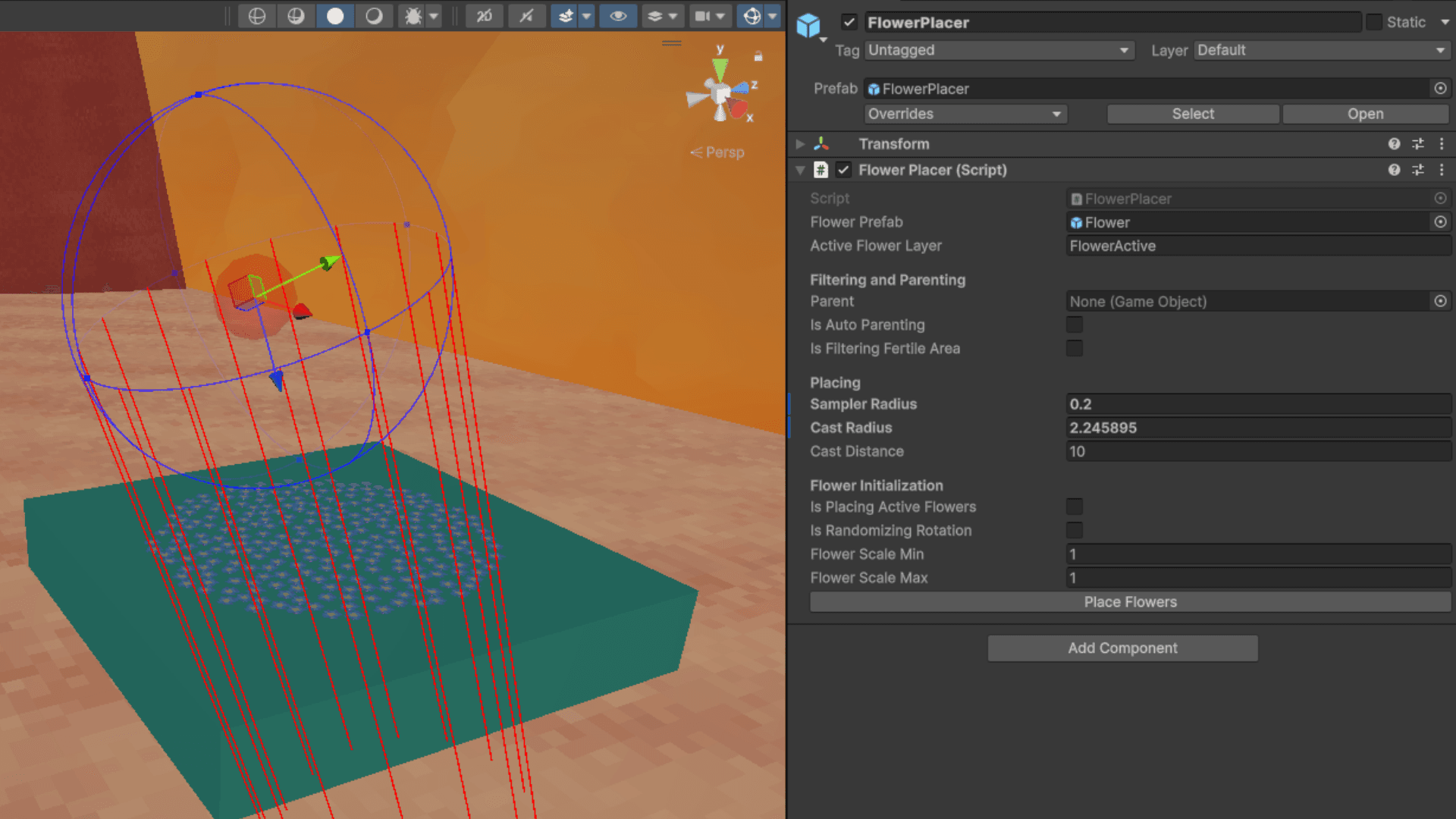 In-editor flower placement tool
For the spreading mechanic I drafted many designs on paper and created several prototypes before deciding on my approach. I considered methods of spawning flowers dynamically as the player shined their flashlight onto new areas, however spawning flowers and raycasting would be expensive even with pooling, and the distribution of flowers would be difficult to maintain. Since the planned flower regions were limited I decided placing the flowers manually would be most effective and give the most design control. So I made a tool to make manual flower placement with nice distribution viable. For spreading I considered generating a graph between flowers so that any flower activated could reference its neighbors and activate them accordingly, however this graph would have to be generated along with the distribution and would be difficult to update as flowers are moved or added to. Ultimately giving flowers sphere colliders was the approach I went with, where flowers when lit would do a sphere check to find neighbors and activate them. I gave the flower triggers their own physics layer to reduce colliders processed when checking for them. To sense whether flowers were in the light I checked a sphere around the player and filtered out anything outside the cone angle. This check only picks up "frontier" flowers as I deactivate the collider for inactive flowers to reduce the amount of colliders processed.
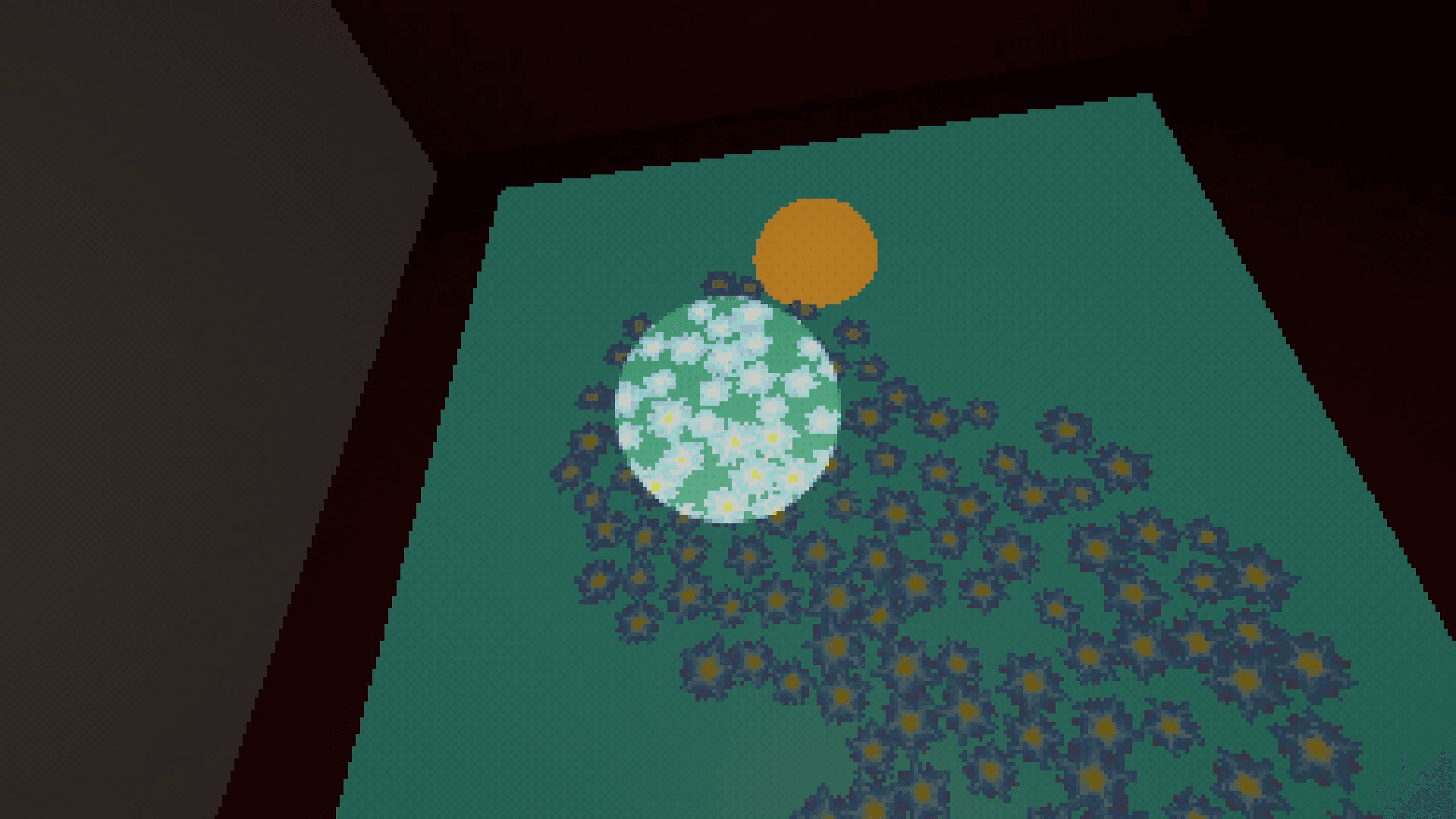 The flower spreading mechanic in action
Overheat
I implemented a movement mechanic which allows the player to jump higher and move faster when in the sunlight. It detects whether the player is in sunlight or not using a raycast to the sun's location. In order to give as much control as possible, I enabled designers to make their own value curves in the editor which would then be used to dictate the player's movement changes and over time.
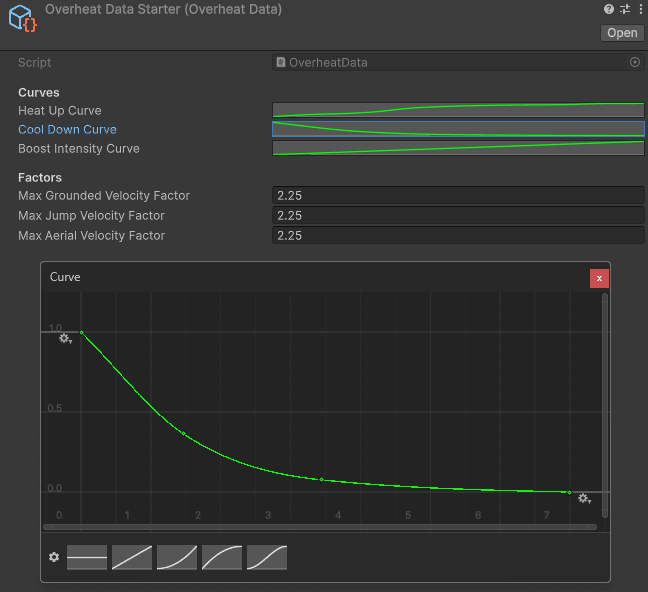 In-editor curves to set variables for our overheat mechanic
Photo Mode
I added a photo mode which allows players to take in game photos and save them to an album that persists between play sessions. The player was meant to take photos of codes hidden around the game world, then reference the photos later when inputting the codes. To enable this I included the ability for the player to pin photos to the code input menu for reference. The photos are loaded once when the gallery is first accessed and stay in memory in a registry after that. The registry manages all the photos, loading and saving and providing access as needed.
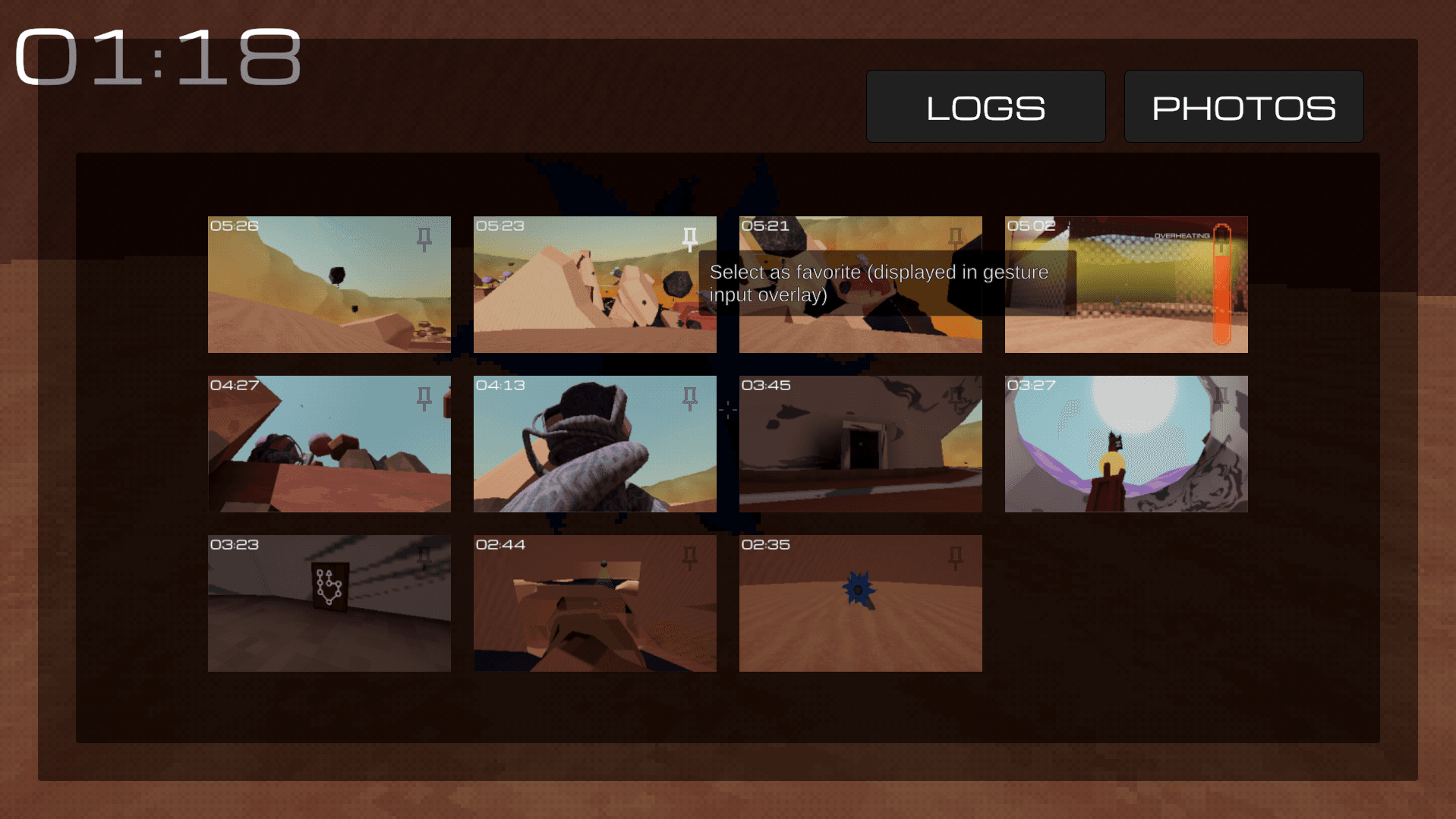 Photo album menu in game
Lore Logs
I coded lore flowers which are effectively journals placed around the world for the player to interact with and read in game archival dialogue. Once discovered, conversations are saved to the player's journal for them to access anytime. I setup a pipeline allowing writers to write logs into a google sheet which could then be exported into a specific JSON format using an extension script I wrote. This JSON file could then be added to the project where the player's journal and lore flowers themselves could reference the data using string IDs.
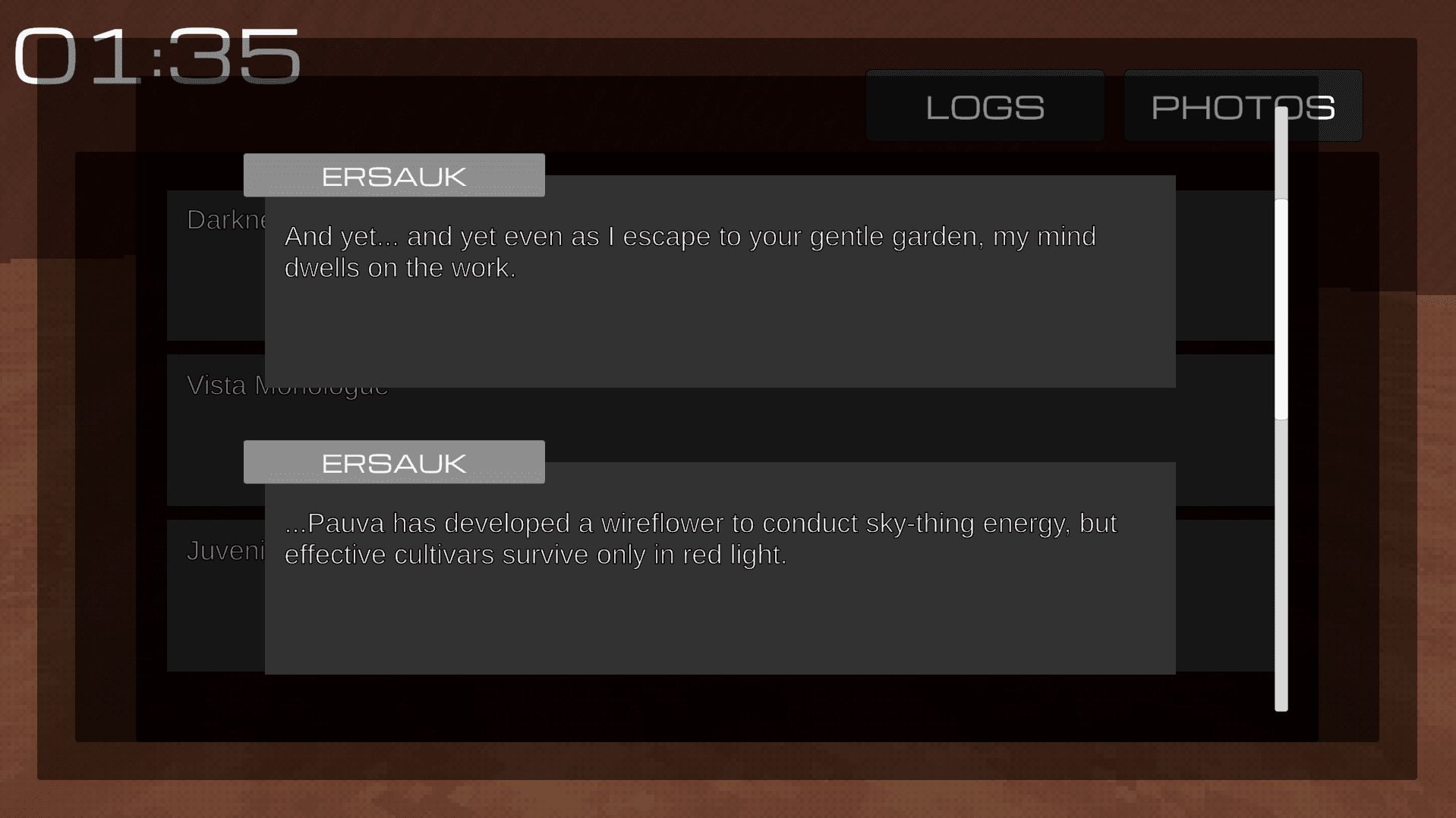 Lore logs menu in game
Making Cleaner Code
After a few months of development I proposed reorganizing our project to make it more flexible and less interdependent. At the time almost any script referenced by more than one object was a singleton, gameplay data was stored almost exclusively in Monobehavior fields or lists, and many UI elements had their own Canvas objects strewn around the project. This was serviceable to get the game up and running, however it would not scale well and I wanted to make development easier for everyone in the future.
Services
I decided to add to our game a Unity-friendly variation of the service locator pattern, which would allow all the global manager single instance classes in our game to be stored in a scene registry and accessed by any script using the class (type) of the service itself as a key. Additionally every manager script could now also be a game object visible in the scene (as opposed to before having them be largely invisible singleton classes) which allows for better visibility and exposing of variables. This new system also allowed us to specify per service which scenes they should be active in or persist across, which allowed us to support services of different scopes.
With this approach any script in the game can reference any of the services registered to the service locator, which although less dependency safe offers the most flexibility for our more fast-paced development. Similarly having the services identified by their own class types was the most convenient, making it easier to register services and slightly more fault tolerant than string keys.
UI Management
At one point all of our overlays and menus were on separate canvases handled by separate scripts all unaware of each other. I extended Unity's UI classes to make our own custom Menu and Overlay classes which interact with a UI manager I created. This allows us to cleanly switch between menus and overlays and easily specify when and how menus and overlays should be visible all in one central area of the project.
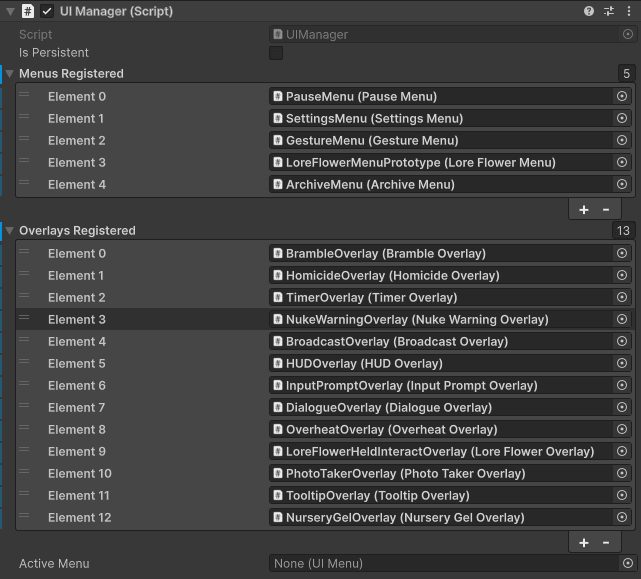 UI service and registered menus/overlays in editor
Similar to the service locator this involves registering menus and overlays into a registry on the UI service. Through the UI service any script can now open or close or manipulate any menu or overlay. This allows for multiple game objects to use the same menu object easily (as opposed to before where many game objects were storing their own individual instances of similar menus). Since all the menus and overlays were now referenced by a single UI manager, I made it easy for designers to specify which overlays or menus should close when other menus or overlays were opened. When extending the UI classes I also made custom events that programmers could tap into to add logic for when their menu or overlay was opened or closed.
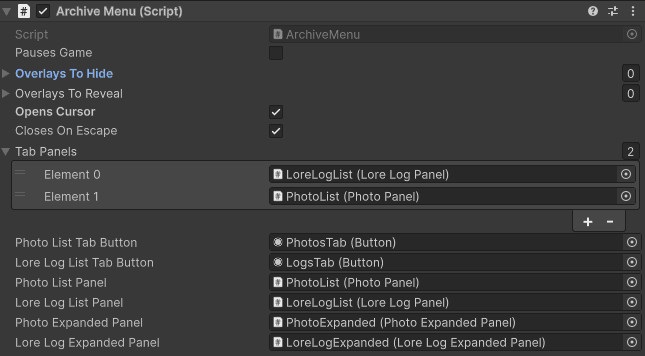 UI menu component in editor
More
Other things I worked on or ways I contributed.
Gamepad Support / Remapping / Settings
I added gamepad support to the game and the ability to remap buttons on both keyboard/mouse and gamepad. I also made a settings system that saved player settings across play sessions including such things as look sensitivity, screen resolution, and volumes.
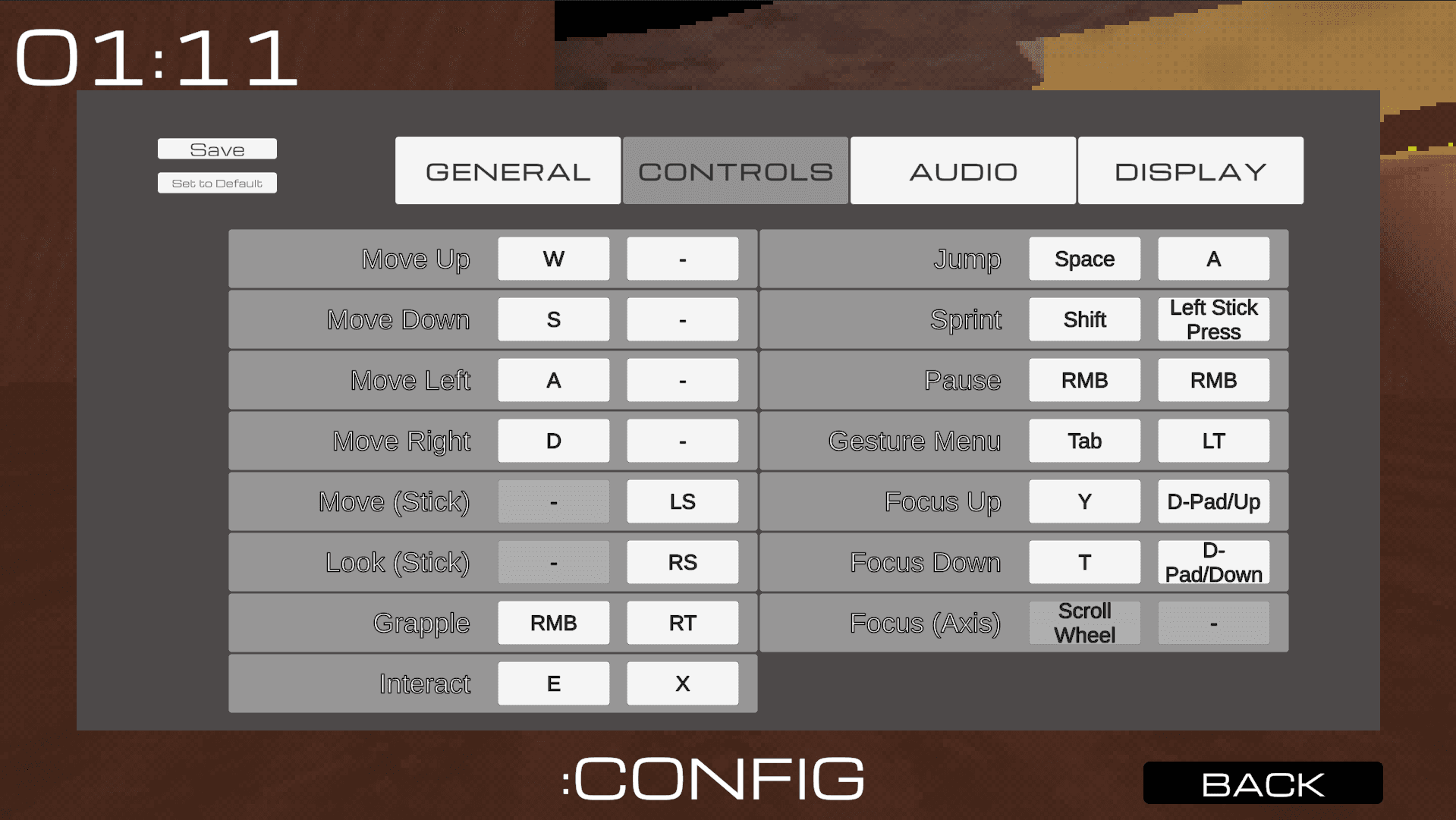 In game settings menu
Project Organization
Apart from programming I also managed our source control and coding style. Many people on our team were largely unfamiliar with Git / GitHub and I needed to make it as easy as possible for them to contribute. I was the person who put out fires (merge conflicts, etc.) when anything was going wrong. I created a simple project style guide which also included instructions on how to use the more global systems I made (the service locator and UI systems). You can see the style guide here. Since we had a variety of people on our team with varying degrees of programming and Unity experience, I did my best to accommodate everyone.
Analytics
I set up Unity analytics so that we could begin tracking player statistics and especially gameplay statistics. I set our analytics to recorded important in game events such as when the player dies, with Unity sending the data to a dashboard where I visualized the data with custom graphs.
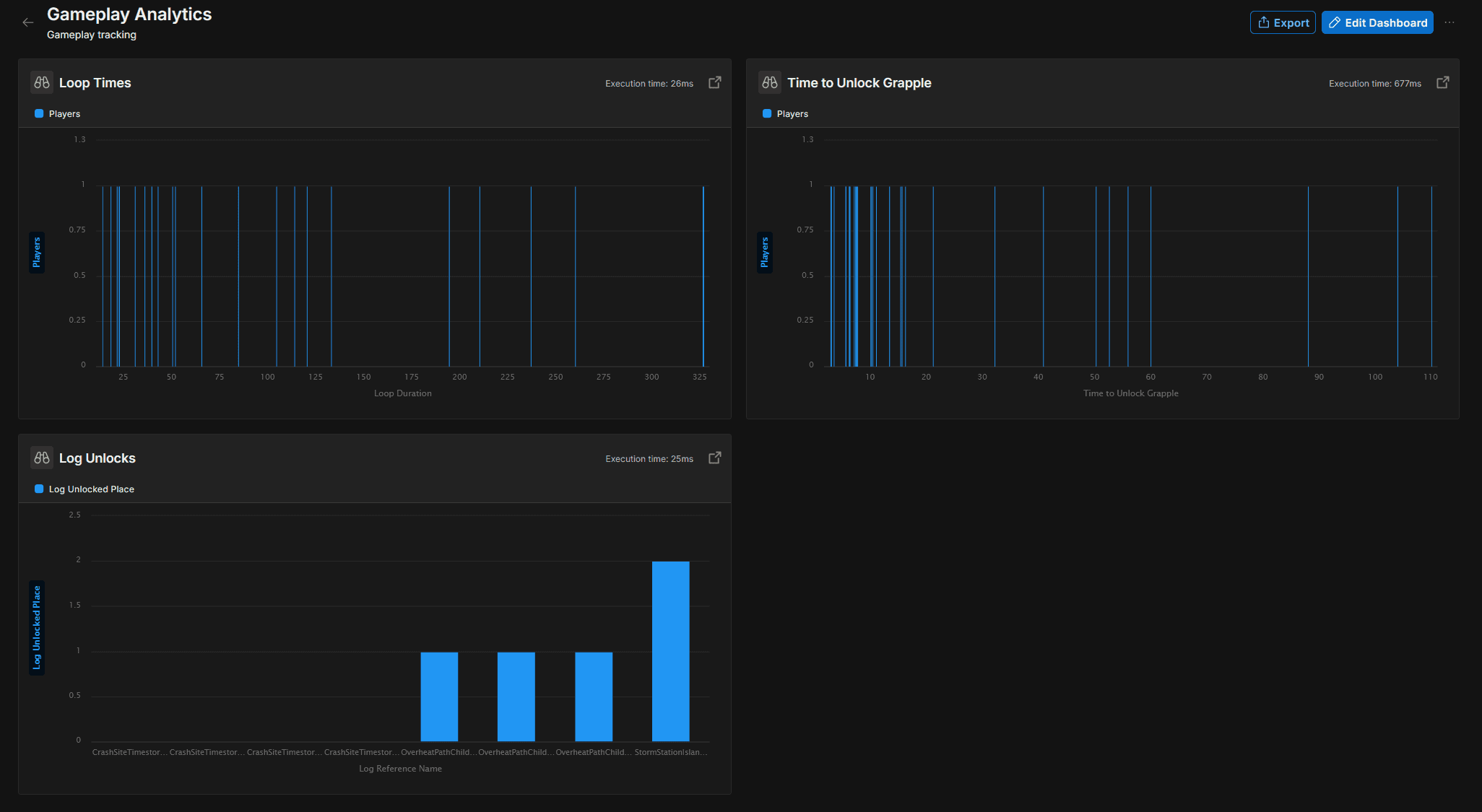 Analytics dashboard showing several player gameplay statistics